Install CC Switch
CC Switch is used to manage proxy configurations for tools such as Claude Code and Codex CLI. This page covers download, installation, and the initial configuration check.
Download
Go to farion1231/cc-switch Releases to download and install CC Switch.
Check The Default Configuration
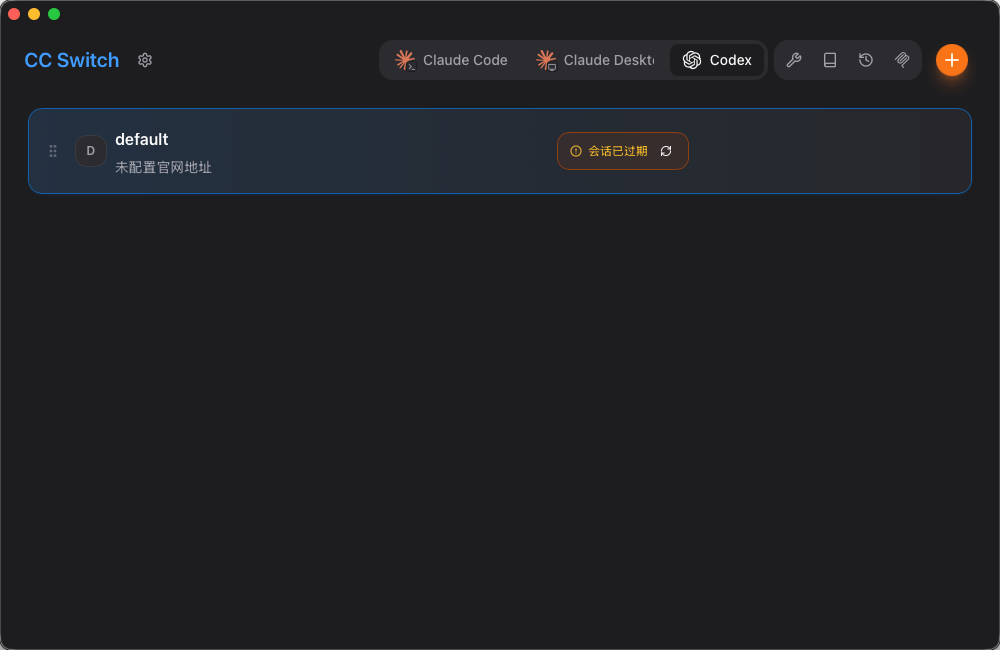
If you have already used Codex or Claude Code before installing CC Switch, the app will scan existing configurations automatically.
The default entry in the screenshot is the automatically detected default configuration. If you previously logged in with an official Codex account, do not delete or edit this default configuration.
Next Step
After installation, create an API Key for Codex CLI or Claude Code.
Continue to Create API Key.